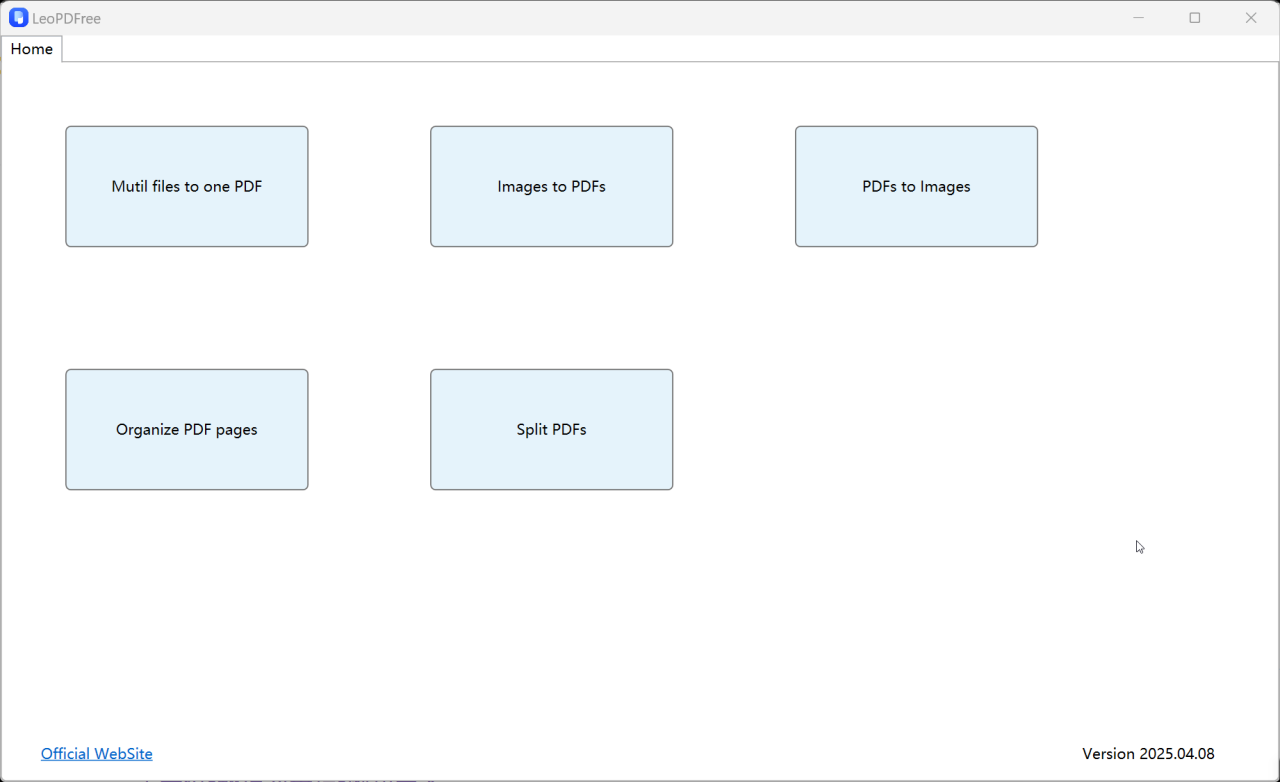
About LeoPdf
LEOPDF converts PDFs offlineno uploads, no delays! Split, merge convert images securely on your PC. Fast, private no internet needed
Since LEOPDF works offline on your own Windows computer, it converts files without being affected by the speed and openness of the internet, and thus saving you from taking long time uploading and converting when it comes to large-size files, and making the whole process risk-free since you will do everything within your computer without uploading your files to any server.helps you do the conversion fast and easily. More than that, Leopdf also does PDF split, Convert between image and PDF, and Organize PDF pages.
Previous Versions
Here you can find the changelog of LeoPdf since it was posted on our website on 2025-05-29 18:57:19.
The latest version is 1.0.1.1 and it was updated on 2026-10-12 16:11:21. See below the changes in each version.
LeoPdf version 1.0.1.1
Updated At: 2025-04-15
Disclaimer
External Download
We do not host LeoPdf on our servers. We did not scan it for viruses, adware, spyware or other type of malware. This app is hosted by the software publisher and passed their terms and conditions to be listed there. We recommend caution when installing it.
The external download link for LeoPdf is provided to you by apps112.com without any warranties, representations or guarantees of any kind, so access it at your own risk.
If you have questions regarding this particular app contact the publisher directly. For questions about the functionalities of apps112.com contact us.